Beyond Spreadsheets: How Online Tables Quietly Keep My Life in Order
Have you ever lost an important file, panicked over a shared budget, or worried who else might see your private notes? I used to stress about these little things—until I realized the simple tools I already used could do so much more. Online spreadsheets aren’t just for numbers anymore. They’ve become my quiet guardians, helping me organize life’s chaos while keeping what matters safe. Let me show you how something so ordinary became unexpectedly essential.
The Moment I Stopped Just "Using" and Started "Trusting" My Spreadsheet
It was my mother-in-law’s 70th birthday, and I was in charge of the family celebration. I had the guest list, the menu, the timeline—all scribbled in a notebook and scattered across text messages. Two days before the event, my sister-in-law called in a panic: "Who’s bringing the cake? Did anyone confirm the venue?" I realized, with a sinking feeling, that no one had the full picture. We were all working from fragments, and things were slipping through the cracks.
That’s when I opened a blank online spreadsheet and started over. I created columns for food, decorations, transportation, and RSVPs. I added links to the caterer and a shared photo album. Then, I invited the key family members with edit access. Within hours, my sister-in-law added the cake details, my cousin confirmed the flowers, and my husband updated the arrival time for his parents. Everyone could see the same version, in real time. No more double-texting. No more crossed wires.
But what really changed wasn’t just efficiency—it was trust. I could see who was making changes, when they made them, and I could lock certain cells so only I could edit the budget. It wasn’t about control; it was about clarity. That night, as we toasted my mother-in-law under string lights and laughter, I realized something quiet but powerful: I hadn’t stressed once about the logistics. The spreadsheet had held it all together. And in that moment, I stopped seeing it as just a tool. I started seeing it as a partner in keeping my family’s moments intact.
Why I Used to Worry (And Why You Might Too)
I’ll be honest—I didn’t always feel this calm about sharing documents online. A few years ago, I sent a budget spreadsheet to my book club, thinking I was being helpful. I wanted us to plan our next trip together. But I forgot to adjust the permissions, and suddenly, one of the members saw my personal notes about how tight money was that month. I was mortified. It wasn’t malicious—she didn’t say a word—but I felt exposed, like I’d left my diary open on a park bench.
That experience made me cautious. I started avoiding shared files altogether. I’d say, "I’ll just email you the details," or "I’ll print it out." But then, of course, someone would lose the email, or the paper would get left in a bag, or two versions would exist—"Wait, is this the updated one?" The irony was that my attempt to protect privacy created more confusion and stress.
If you’ve ever hesitated to use an online spreadsheet, you’re not alone. We worry about what happens if the wrong person gets the link. We imagine a cousin forwarding it to someone who shouldn’t see it, or a child clicking "share" and making it public. We think, "What if someone changes something important and I don’t even know?" These aren’t just technical concerns—they’re emotional ones. We want to stay connected, but we also want to feel safe. We want to share, but not too much. And for a long time, I thought I had to choose between convenience and control.
What changed my mind was learning that modern online spreadsheets aren’t just about sharing—they’re about sharing wisely. The tools we use every day have quietly evolved to protect us in ways we don’t always notice. They don’t require us to become tech experts. They just work, in the background, like a good lock on a front door or a trusted friend watching your bag. Once I understood how these features actually work, my fear turned into confidence. And that’s when I started using spreadsheets not just for data, but for peace of mind.
Seeing Who’s In the Room: User Permissions That Feel Like Locked Doors
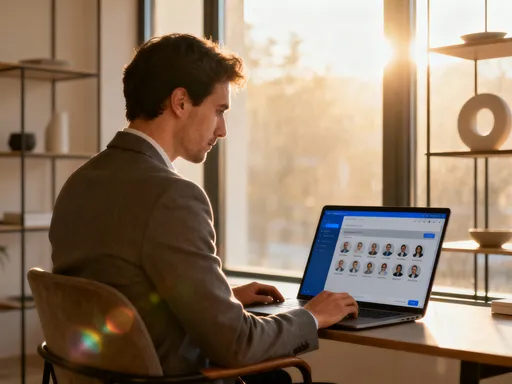
One of the biggest shifts for me was understanding user permissions. At first, it sounded complicated—"view," "comment," "edit"—like jargon from an IT manual. But then I started thinking of it differently. What if I imagined the spreadsheet as a room? And what if I could decide who walks in, who sits at the table, and who just peeks through the window?
Let me give you a real example. Last summer, we hosted a neighborhood potluck. I created a shared spreadsheet so everyone could sign up for dishes. But I didn’t want just anyone changing the date or location—those were locked in. So I gave most neighbors "edit" access only to the food column. My co-organizer? She had full edit rights. And my neighbor’s teenage son, who was helping with setup? He had "comment" access so he could ask questions like, "Do we need more tables?" but couldn’t alter the plan.
It felt like handing out different keys. Some people got full access. Some got a key to one drawer. Some just had a note taped to the door saying, "Knock first." And the best part? No one felt left out. Everyone could participate in the way that made sense, without stepping on toes.
What this gave me wasn’t just organization—it was emotional safety. I wasn’t anxious that someone would accidentally move the event time or delete the guest list. I could relax, knowing the structure was holding things in place. And when my friend Sarah said, "I love how easy this is—no back-and-forth texts!" I realized that good technology doesn’t just save time. It saves energy. It keeps relationships smoother because there’s less room for misunderstandings. Now, whenever I set up a shared plan, I take two extra minutes to assign the right permissions. It’s become my quiet ritual of care—making sure everyone can help, but nothing fragile gets broken.
The Link That Doesn’t Leak: How Sharing Got Smarter
Remember the old days? You’d create a document, click "share," and suddenly it felt like you’d thrown a party and left the address on a flyer in the subway. "Anyone with the link can view"—that setting used to scare me. I once shared a grocery list for a family dinner and realized, too late, that I’d left it open. For three days, I kept checking—was it still public? Could a stranger see that I was buying gluten-free buns and extra napkins?
It sounds silly, but it wasn’t just about groceries. That little slip made me question whether I could really trust online tools. What if I did the same with something important—a medical form, a school project, a financial plan? The idea of losing control over who sees what kept me up at night.
Then I learned how much smarter sharing has become. Today, I can choose exactly who gets access. I can send an invitation that only works for specific people—like sending a digital RSVP. Or I can turn off the public link entirely, so even if someone guesses the URL, they can’t get in. It’s like having a doorbell instead of an open gate.
I put this to the test last winter when I was planning my daughter’s school fundraiser. I created a spreadsheet with volunteer roles, donation goals, and sponsor contacts. At first, I shared it with "anyone with the link" because I was in a hurry. But then I paused. What if a parent forwarded it to someone outside the group? What if a competitor school saw our strategy? I went back, changed the setting to "restricted," and added each team member by email. It took less than a minute. The difference? I slept better knowing the circle was closed.
Now, I treat link settings like a habit—part of the process, like saving the file. Before I share anything, I ask myself: Who really needs to see this? Should it be open, or private? It’s not about being secretive. It’s about being intentional. And the beauty is, these choices are easy to change. If I need to open it up later, I can. But starting with control gives me confidence. It turns a potentially risky moment into a thoughtful one. And that, to me, is what smart technology should do—protect you without making you work for it.
When Edits Leave a Trail: Activity Logs as Silent Witnesses
Have you ever opened a shared document and found something changed—maybe a date moved, a name deleted, a note rewritten—and you’re not sure who did it? That’s when tension creeps in. "Did you change this?" "No, it wasn’t me!" Suddenly, a simple update turns into a blame game. I’ve been there. More than once.
What saved me was discovering the activity log—the quiet history keeper in the background. One evening, I was finalizing a spreadsheet for our church’s charity drive. I went to print it and realized a whole column of donor names was missing. My first thought? One of the volunteers must have deleted it by accident. I was about to send a polite but firm message when I clicked on the "version history" option. There it was: the changes, listed by time and user. And the truth? I had hidden the column myself the day before while formatting, and I just forgot.
I felt a wave of relief—and gratitude. The log didn’t shame me. It clarified. It turned a moment of confusion into a quiet "ah-ha." No accusations. No hurt feelings. Just facts.
Since then, I’ve come to see version history as one of the most emotionally intelligent features in any tech tool. It doesn’t just track changes—it protects relationships. In family settings, where emotions run high and memories differ, it’s a neutral witness. "Who added this note?" "When did we agree on this date?" The log answers without drama. It’s like having a shared memory that everyone can trust.
I don’t check it every day. But knowing it’s there changes how I collaborate. I’m more open to letting others edit because I know I can always see what happened. I’m quicker to assume good intent because the evidence is right there. And when mistakes happen—because they do—I can fix them without pointing fingers. That’s the kind of peace that doesn’t come from perfection. It comes from knowing you’re not alone in remembering.
Safety Without the Stress: How Little Features Give Big Peace of Mind
When I first heard words like "two-factor authentication" or "end-to-end encryption," I tuned out. They sounded like something for hackers or IT teams, not for someone managing a PTA budget or planning a family reunion. But then I realized these features aren’t just for experts. They’re for all of us—quiet safeguards built into the tools we use every day.
Take auto-save. It seems small, right? But think about how many times you’ve typed a long note, only to lose it because the app crashed. Now, everything saves as you go. No more "lost work" panic. It’s like having an invisible hand gently pressing "save" every few seconds. It doesn’t ask for credit. It just works.
Then there’s two-factor login. I used to think it was a hassle—why should I need a code from my phone just to check a spreadsheet? But then my friend’s email was hacked. Someone got her password and started sending strange messages to her contacts. That scared me. I turned on two-factor that night. Now, even if someone guesses my password, they can’t get in without my phone. It’s not perfect, but it’s a strong extra lock.
And encryption? That’s the invisible shield. It means that even if someone intercepts the data while it’s traveling, they can’t read it. I don’t need to understand the math behind it. I just need to know it’s there—like a seatbelt in a car. I don’t think about it every day, but I’m glad it’s there when I need it.
Together, these features create a safety net I don’t have to build myself. They work quietly, without slowing me down. I can focus on what matters—planning, connecting, creating—while they handle the protection. That’s the real gift of modern technology: it doesn’t ask you to become a security expert to live safely. It just helps you breathe easier, knowing the little things are taken care of.
From Chaos to Calm: How My Spreadsheet Became a Life Organizer
Looking back, I realize how much has changed. What started as a way to track grocery lists and birthday parties has grown into something deeper. My online spreadsheet is no longer just a grid of cells. It’s a container for my life’s rhythm—the school schedules, the medical appointments, the vacation dreams, the quiet goals I’m working toward.
I use it to track my daughter’s reading progress, with a simple chart that shows how many books she finishes each month. I use it to plan our family budget, not with strict rules, but with kindness—leaving room for surprises and joy. I even use it to journal sometimes, with a private tab where I write down small wins: "Called Mom today," "Walked in the park," "Made time for myself."
And through it all, the tools that once felt cold and technical have become warm with meaning. The permission settings? They’re about respect. The activity log? It’s about understanding. The auto-save? It’s about not losing what matters.
I used to think technology was for the young, the fast, the busy. But now I see it differently. For women like us—juggling family, work, self-care, and dreams—it can be a quiet ally. It doesn’t replace conversation or love or presence. But it can hold the details so we don’t have to carry them all in our heads.
So if you’ve ever hesitated to try a shared spreadsheet, I get it. I was there too. But I also know what changed for me: I stopped seeing it as a tool for data, and started seeing it as a tool for care. It helps me show up—more present, less stressed, more in control. And that, more than any perfectly formatted cell, is the real win.